33.1% of form inputs on home pages are not properly labeled
1.3.1 Info and Relationships
In Plain Language
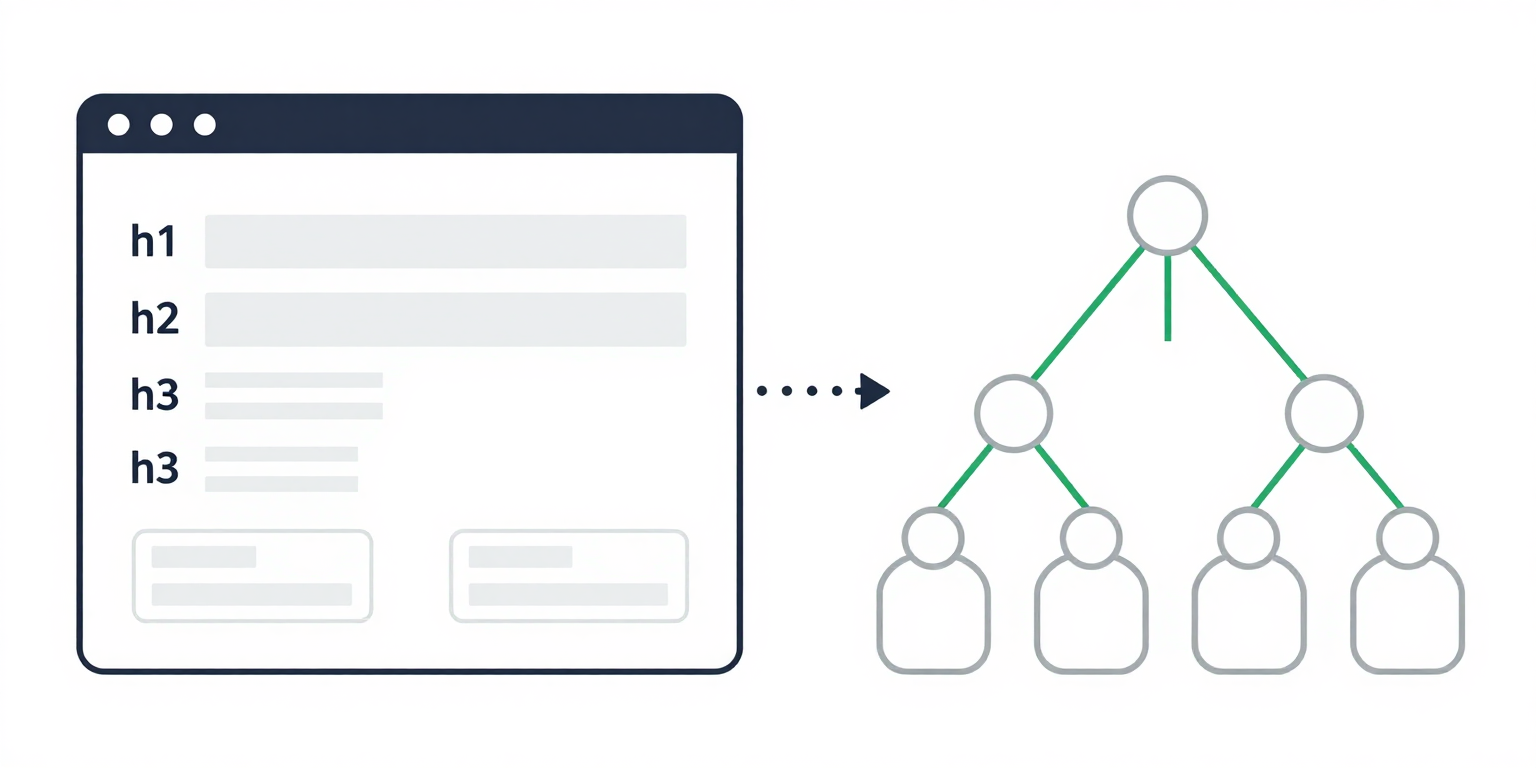
WCAG 1.3.1 Info and Relationships requires that any information, structure, or relationship a sighted user infers from visual presentation is also exposed programmatically through the accessibility tree[1]. Headings use <h1>-<h6>, lists use <ul>/<ol>/<li>, data tables use <table>/<thead>/<tbody> with <th scope>, form controls use <label for>, and page regions use landmark elements (<header>, <nav>, <main>, <aside>, <footer>).
A <div class="heading-3"> styled with bold CSS looks identical to a real <h3> in the viewport, but renders as a generic div in the accessibility tree. Screen reader users cannot reach it via heading shortcuts, and assistive technology has no API surface to expose the structure.
Why It Matters
- Screen readers, voice control, and reading-mode tools build their navigation models from the accessibility tree, not the rendered pixels. Structure that exists only in CSS is invisible to every user who is not looking at the screen.
- Heading shortcuts (
Hto next heading,1-6to next heading of that level) are the primary way screen reader users skim a page. A skipped level breaks the implicit outline; a styleddivstanding in for a heading drops out of the shortcut list entirely. - A form control without a programmatic label has no accessible name. Voice-control users cannot say "click email"; screen reader users hear "edit, blank"; placeholder text disappears on focus and is not exposed as the name on most engines.
- WebAIM Million 2026 found that 33.1% of form inputs on the top 1,000,000 home pages were not properly labeled via
<label>,aria-label,aria-labelledby, ortitle, and 41.8% of home pages contained skipped heading levels[2]. Both failures map directly to 1.3.1.
Examples

Our Programs
Adult Education
Literacy Classes
Weekly reading and writing workshops.
✔ Headings follow a logical h1 > h2 > h3 hierarchy
<h1>Our Programs</h1>
  <h2>Adult Education</h2>
    <h3>Literacy Classes</h3>
<p>Weekly reading and writing workshops.</p>Our Programs
Literacy Classes
Skipped h2 and h3 entirely.
✘ Heading jumps from h1 to h4 -- confuses screen reader navigation
✔ Label is programmatically associated via for/id
✘ No label element -- placeholder is not an accessible label
How to Fix It
- Reach for the native HTML element first. The First Rule of ARIA Use, codified in the W3C "ARIA in HTML" Recommendation, is to use a native element with the semantics and behavior you need rather than repurposing a generic element with an ARIA
role[3].<button>over<div role="button">;<nav>over<div role="navigation">;<ul>over a stack of styled<div>s. - Maintain heading hierarchy. Use
<h1>through<h6>in document order without skipping levels. The visual size of a heading is a CSS decision; the level is a structural one and should reflect the outline, not the type scale. - Wire every form control to a programmatic name. Pair
<label for="id">with a matching<input id="id">, or wrap the input inside the<label>. Placeholder text is not a label -- it disappears on focus and is not consistently exposed as the accessible name. - Mark up data tables with header cells. Use
<th>withscope="col"orscope="row"so the accessibility tree associates each data cell with its row and column headers. Layout tables (rare, and discouraged) should not use<th>at all. - Use landmarks to expose page regions.
<header>,<nav>,<main>,<aside>, and<footer>map to landmark roles automatically. Screen reader users jump between landmarks the same way sighted users skim a layout. - When you must reach for ARIA, follow the Authoring Practices. The WAI-ARIA Authoring Practices Guide documents the required roles, states, properties, and keyboard interaction for every composite widget pattern[4]. If a pattern is not in APG, the safer move is almost always to lean harder on a native element.
References
- [1] W3C (2023). Understanding Success Criterion 1.3.1: Info and Relationships. W3C, Accessed 2026-04-07. https://www.w3.org/WAI/WCAG22/Understanding/info-and-relationships.html ↩
- [2] WebAIM (2026). The WebAIM Million: An accessibility analysis of the top 1,000,000 home pages. WebAIM, Accessed 2026-04-07. https://webaim.org/projects/million/ ↩
- [3] W3C (2026). ARIA in HTML. W3C, Accessed 2026-04-07. https://www.w3.org/TR/html-aria/ ↩
- [4] W3C (2024). WAI-ARIA Authoring Practices Guide. W3C, Accessed 2026-04-07. https://www.w3.org/WAI/ARIA/apg/ ↩